


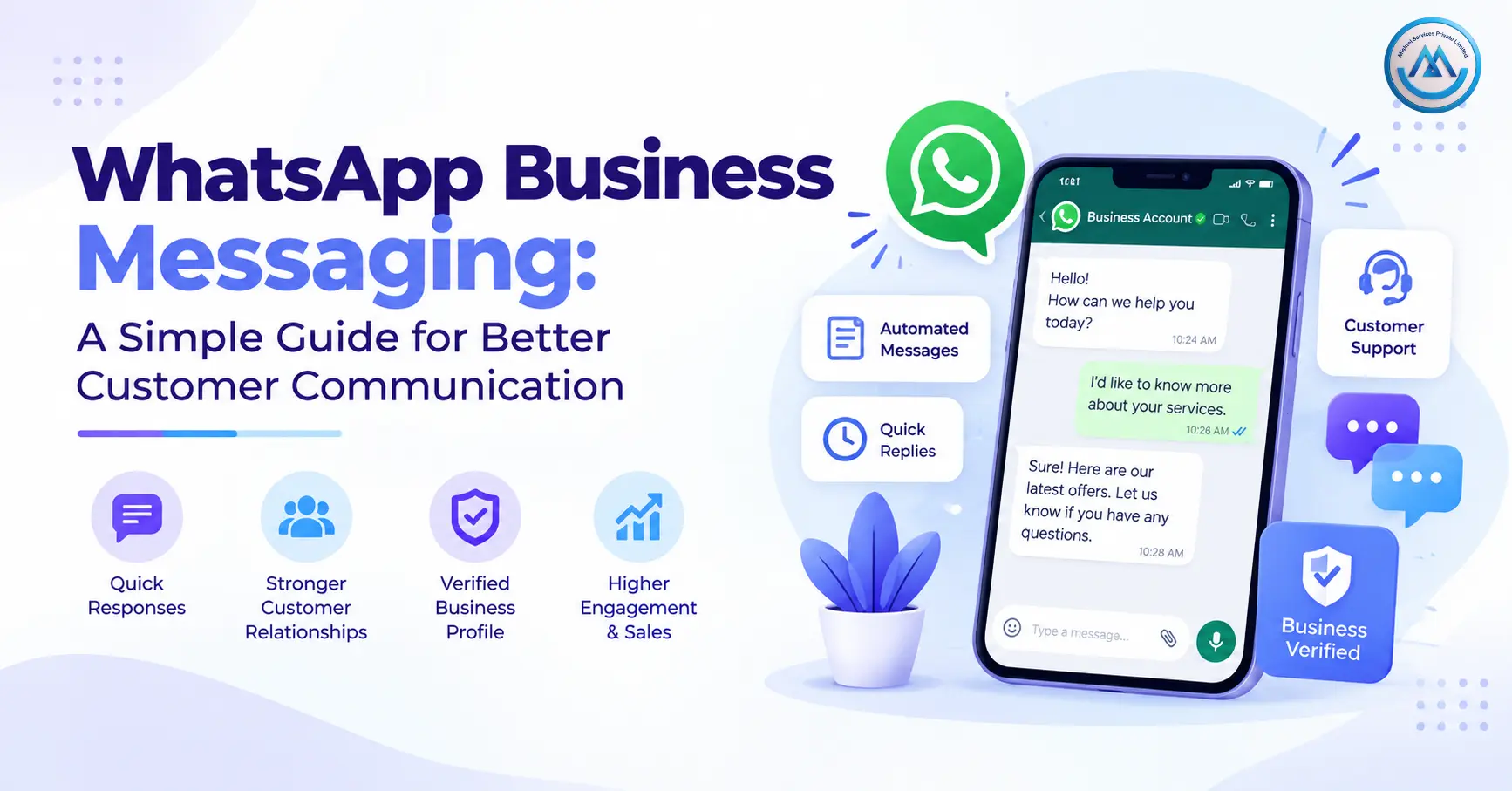
Customers today want quick answers. They want order updates, appointment reminders, payment alerts, support, and product information without waiting for an email or phone call.
This is where WhatsApp Business Messaging can help businesses create a faster and more direct communication channel.
Instead of sending only traditional text messages, businesses can use WhatsApp to share text, images, documents, links, and other useful information. With the right setup, businesses can also automate replies, connect WhatsApp with their existing systems, and manage customer conversations at scale.
What Is WhatsApp Business Messaging?
WhatsApp Business Messaging allows businesses to communicate with customers through WhatsApp for different business needs.
It can be used for:
- Customer support
- Order updates
- Appointment reminders
- Payment notifications
- Product information
- Service alerts
- Business enquiries
- Promotional communication
For growing businesses, WhatsApp can become more than a simple chat channel. With the WhatsApp Business Platform, companies can connect messaging with automation, APIs, CRM systems, and customer support workflows.
Businesses must follow WhatsApp’s messaging policies, including applicable opt-in and messaging requirements.
How Does WhatsApp Business Messaging Work?
The process is simple from the customer’s point of view.
A typical communication flow looks like this:
Business System → WhatsApp Platform → Customer → Customer Reply → Business Team
For example, an online store can connect its order system with WhatsApp. When a customer places an order, the system can send an approved notification with order details.
If the customer replies with a question, the support team can continue the conversation through WhatsApp.
This creates a two-way communication channel instead of sending one-way notifications only.
WhatsApp Business Messaging for Customer Support
Customer support is one of the most common uses of WhatsApp messaging.
Customers can use WhatsApp to ask questions about products, orders, services, payments, or delivery.
Businesses can respond manually or use automation for common questions.
For example:
Customer: Where is my order?
Business: Your order has been shipped and is expected to arrive tomorrow.
For common queries, automated responses can reduce repetitive work. More complex questions can then be transferred to a human support agent.
If your business needs voice support along with messaging, you can also connect WhatsApp communication with a Cloud Call Center.
WhatsApp Business Messaging for Order Updates
E-commerce businesses handle many customer updates every day.
WhatsApp can be used to send notifications such as:
- Order confirmation
- Order processing
- Shipping updates
- Delivery notifications
- Cancellation updates
- Return information
For example:
Order Confirmed
Your order #45821 has been confirmed.
The customer receives the information directly in their WhatsApp conversation.
This can reduce the need for customers to repeatedly check a website or contact customer support for basic order information.
Appointment and Reminder Messages
Service businesses can also use WhatsApp for appointment communication.
Healthcare organizations, salons, education companies, consultants, and other service providers may need to remind customers about upcoming appointments.
A business can send:
- Appointment confirmation
- Date and time reminders
- Rescheduling information
- Service updates
- Follow-up messages
Automated reminders can help businesses keep customers informed without requiring staff to send every message manually.
Rich Media Messaging
One major benefit of WhatsApp Business Messaging is that communication does not have to be limited to plain text.
Businesses can share:
- Images
- Videos
- Documents
- Links
- Product information
- Call-to-action elements
This can be useful when customers need more information than a short SMS can provide.
For example, an education company can share a course brochure, while an e-commerce business can send product information through a richer messaging experience.
WhatsApp Business Messaging and Automation
Automation can make business communication easier when the same questions or actions happen repeatedly.
A business can create automated flows for common customer requirements.
For example:
Customer: Hi
Automated Reply: Welcome! How can we help you?
- Product Enquiry
- Order Status
- Customer Support
- Talk to an Agent
The customer can select an option and continue through the relevant flow.
WhatsApp allows automation during the customer service window, but businesses should also provide a clear path to human support when needed.
WhatsApp Business Messaging with CRM and API
Growing businesses often use CRM, ERP, e-commerce, or other internal systems.
Connecting WhatsApp with these systems can help automate customer communication.
For example:
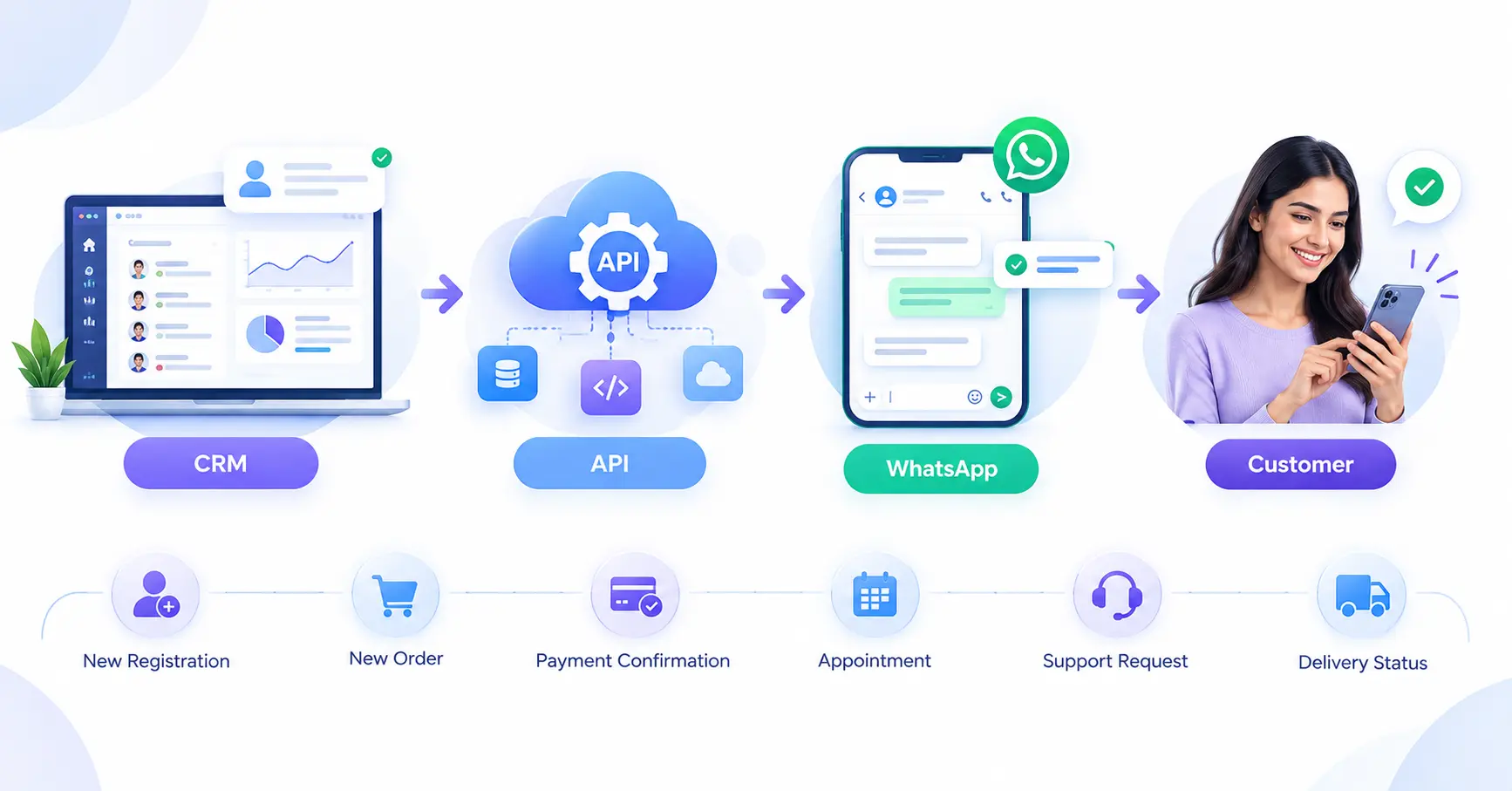
WhatsApp Business Messaging for Marketing
WhatsApp can also be used for business promotions and customer engagement.
Businesses may share:
- New product announcements
- Offers
- Product recommendations
- Event information
- Service updates
However, promotional messaging should not become unwanted spam.
WhatsApp requires businesses to obtain appropriate user opt-in and respect requests to stop or block messages. For business-initiated conversations on the WhatsApp Business Platform, approved message templates are required.
This makes permission-based communication important for maintaining a good customer experience.
WhatsApp Business Messaging vs SMS
WhatsApp and SMS can serve different purposes.
SMS is useful when businesses need simple, direct communication with broad accessibility.
WhatsApp is useful when communication needs richer content or two-way conversation.
For example:
| Requirement | Suitable Channel |
| Short text alert | Bulk SMS |
| Rich customer message | |
| Product images | |
| Order notification | WhatsApp / SMS |
| Customer conversation | |
| Large-scale text alerts | Bulk SMS Service |
Many businesses can use both channels as part of a wider customer communication strategy.
Key Benefits of WhatsApp Business Messaging
A properly configured WhatsApp messaging system can help businesses:
- Communicate directly with customers
- Automate repetitive messages
- Share rich media
- Provide customer support
- Send order and service updates
- Connect messaging with CRM systems
- Manage customer conversations
- Create structured communication workflows
The exact benefits depend on how the business configures the platform and how customers interact with the messages.
How to Get Started with WhatsApp Business Messaging
Businesses can follow a simple process.
Step 1: Define Your Use Case
Decide whether you need WhatsApp for support, notifications, reminders, marketing, or multiple purposes.
Step 2: Set Up Your Business Profile
Keep your business information accurate and updated so customers know who they are communicating with.
Step 3: Configure Messaging Templates
For business-initiated conversations, create message templates according to WhatsApp’s applicable requirements.
Step 4: Connect Your Systems
If required, integrate WhatsApp with your CRM, website, ERP, or other business software.
Step 5: Create Automation
Set up automated responses and workflows for common customer requests.
Step 6: Add Human Support
Make sure customers can reach a human agent when automated communication is not enough.
Step 7: Test Before Going Live
Test your message templates, automation, integrations, and customer journeys before launching the communication workflow.
Why Choose Mishtel for WhatsApp Business Messaging?
Mishtel provides a WhatsApp Business messaging solution designed for customer communication, automation, and API-based integration.
The platform supports features such as bulk messaging, rich media, automation, CRM and API integration, and business communication workflows.
Businesses can use WhatsApp messaging for customer support, notifications, reminders, product communication, and other approved business use cases.
The right setup depends on your message volume, communication goals, customer journey, and existing technology stack.
Final Thoughts
WhatsApp Business Messaging gives businesses a direct way to communicate with customers through a channel they already use.
It can support customer service, order updates, reminders, product communication, and business notifications. With automation and API integration, businesses can also connect WhatsApp messaging with their existing workflows.
The key is to use WhatsApp in a structured way. Clear messages, proper customer consent, useful automation, and easy access to human support can create a better customer communication experience.
Yes, businesses can send messages at scale through the WhatsApp Business Platform, subject to applicable messaging policies, templates, and user opt-in requirements. Yes. Businesses can use automation for common questions, notifications, and predefined customer communication workflows. Yes. WhatsApp Business can be integrated with CRM and other business systems through APIs and supported integrations. Yes. WhatsApp supports richer business communication formats, including media and documents, depending on the applicable product and messaging setup. Yes. Businesses can use WhatsApp for customer queries, support conversations, automated responses, and human-agent assistance. Yes. Businesses must follow WhatsApp Business policies, including requirements around user opt-in, approved templates for business-initiated conversations, and respecting requests to stop receiving messages.
Can businesses send bulk WhatsApp messages?
Can WhatsApp Business Messaging be automated?
Can WhatsApp be connected with CRM?
Can businesses send images and documents on WhatsApp?
Can WhatsApp Business be used for customer support?
Are WhatsApp Business messages subject to policies?