


Customer support teams often handle a large number of calls every day. Customers may call for product information, order updates, complaints, technical help, billing questions, or service requests. Managing these calls through separate mobile numbers or individual team members can become difficult as the business grows.
This is where a Toll-Free Number Service can help.
A toll-free number provides customers with a central contact number while the business manages incoming calls through a structured communication system. With features such as IVR, call routing, call recording, analytics, and cloud-based agent management, businesses can create a more organized customer support process.
What Is a Toll-Free Number Service?
A Toll-Free Number Service allows customers to contact a business without paying the applicable incoming call charges themselves.
For customer support teams, the main advantage is not only having a dedicated number. The number can be connected to a cloud telephony system that controls how incoming calls are handled.
A typical customer support workflow can look like:
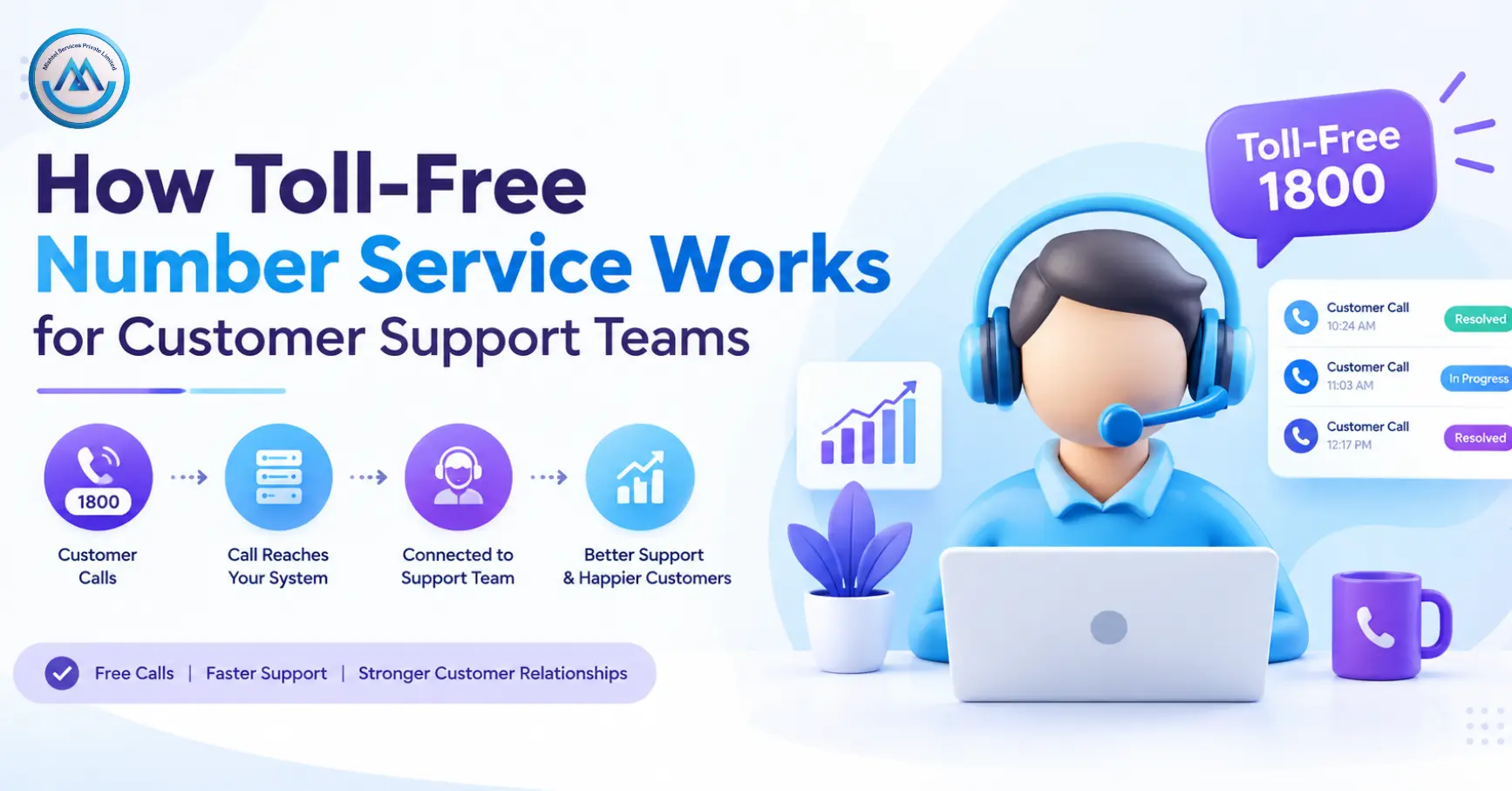
Customer Call → Toll-Free Number → IVR → Call Routing → Support Agent → Call Report
This allows a business to publish one central number while directing customers to the right team internally.
For example, a customer may call a business and select an option for sales, customer support, billing, or technical assistance. The system can then route the call to the relevant department.
How Does Toll-Free Number Service Work?
The process usually involves a few simple stages.
1. Customer Calls the Number
The customer dials the business’s toll-free number from the website, advertisement, invoice, product page, or other communication channel.
2. Call Reaches the Cloud System
The incoming call reaches the business’s configured cloud telephony system. The system then follows the call-handling rules set by the business.
3. IVR Provides Options
An IVR Service can greet the caller and provide different options.
For example:
- Press 1 for Sales
- Press 2 for Customer Support
- Press 3 for Billing
- Press 4 for Technical Support
The caller can select the relevant option without first speaking to an agent.
4. Call Is Routed to an Agent
After the customer selects an option, the call can be routed to the appropriate department or support executive.
Multiple agents can be connected to the same department, allowing businesses to distribute incoming calls according to their support workflow.
5. Call Activity Can Be Recorded
Depending on the configuration, businesses can use call recording, call logs, and reporting to monitor customer communication.
Why Use a Toll-Free Number for Customer Support?
A centralized calling number can make customer communication easier to organize.
One Number for Customers
Customers do not have to search for different numbers for sales, billing, or support. One number can act as the main communication point.
Better Call Routing
Calls can be directed to the appropriate department instead of being transferred manually between different team members.
Multiple Agent Support
A toll-free number can be connected to multiple support agents, allowing businesses to handle calls through a team rather than depending on one person.
Centralized Management
Cloud-based calling allows businesses to manage customer communication from a centralized system.
Scalable Communication
As call volume increases, businesses can add agents, departments, routing rules, or other communication features according to their requirements.
Toll-Free Number with Cloud Call Center
A toll-free number can be connected with a Cloud Call Center to create a centralized customer support environment.
A typical workflow can be:
Toll-Free Number → IVR → Call Queue → Agent → Call Record → Report
A cloud call center can help teams manage:
- Incoming calls
- Call routing
- Agent activity
- Call queues
- Call records
- Customer support teams
- Call reports
This setup can be particularly useful for businesses where multiple agents or departments need to handle customer calls from different locations.
What Happens When All Agents Are Busy?
Customer support teams may receive more calls than they can answer at a particular time.
A suitable call-handling system can place customers in a queue or route calls according to predefined rules.
Businesses may also configure options such as:
- Backup agents
- Alternative departments
- Callback workflows
- After-hours messages
- Other configured destinations
The exact options depend on the selected communication platform and business requirements.
Managing Customer Calls After Business Hours
Customers may call outside normal working hours. A toll-free system can use time-based routing to manage these calls.
For example:
During working hours: Calls are routed to available support agents.
After working hours: Customers hear an automated message with support timings or other relevant information.
This allows businesses to maintain a consistent communication process even when support agents are unavailable.
Call Recording and Reporting
Call recording can help customer support teams review conversations for quality monitoring, training, service improvement, and internal evaluation.
Call reports can also provide useful information such as:
- Total incoming calls
- Answered calls
- Missed calls
- Call duration
- Agent activity
- Peak calling periods
These insights can help businesses understand customer calling patterns and improve their support workflow.
Businesses should use call recording according to applicable privacy, consent, and legal requirements.
Managing Missed Customer Calls
Not every customer call will be answered. Calls may be missed when agents are busy, support is closed, or call volume suddenly increases.
A Missed Call Service can be used as part of a broader customer communication workflow.
For example, businesses can create alerts or follow-up processes for missed customer calls where supported.
This can help teams identify customer contact attempts that may otherwise be overlooked.
Toll-Free Number with Website Calling
Customers visiting a website may want to speak with the business immediately.
A Click2Call service enables website visitors to place a call through a configured communication system.
The journey can be simple:
Website → Click to Call → Support System → Agent
This can be useful on product pages, service pages, landing pages, and support sections.
Example of a Customer Support Workflow
Consider an online business receiving regular customer calls.
The company can create the following workflow:
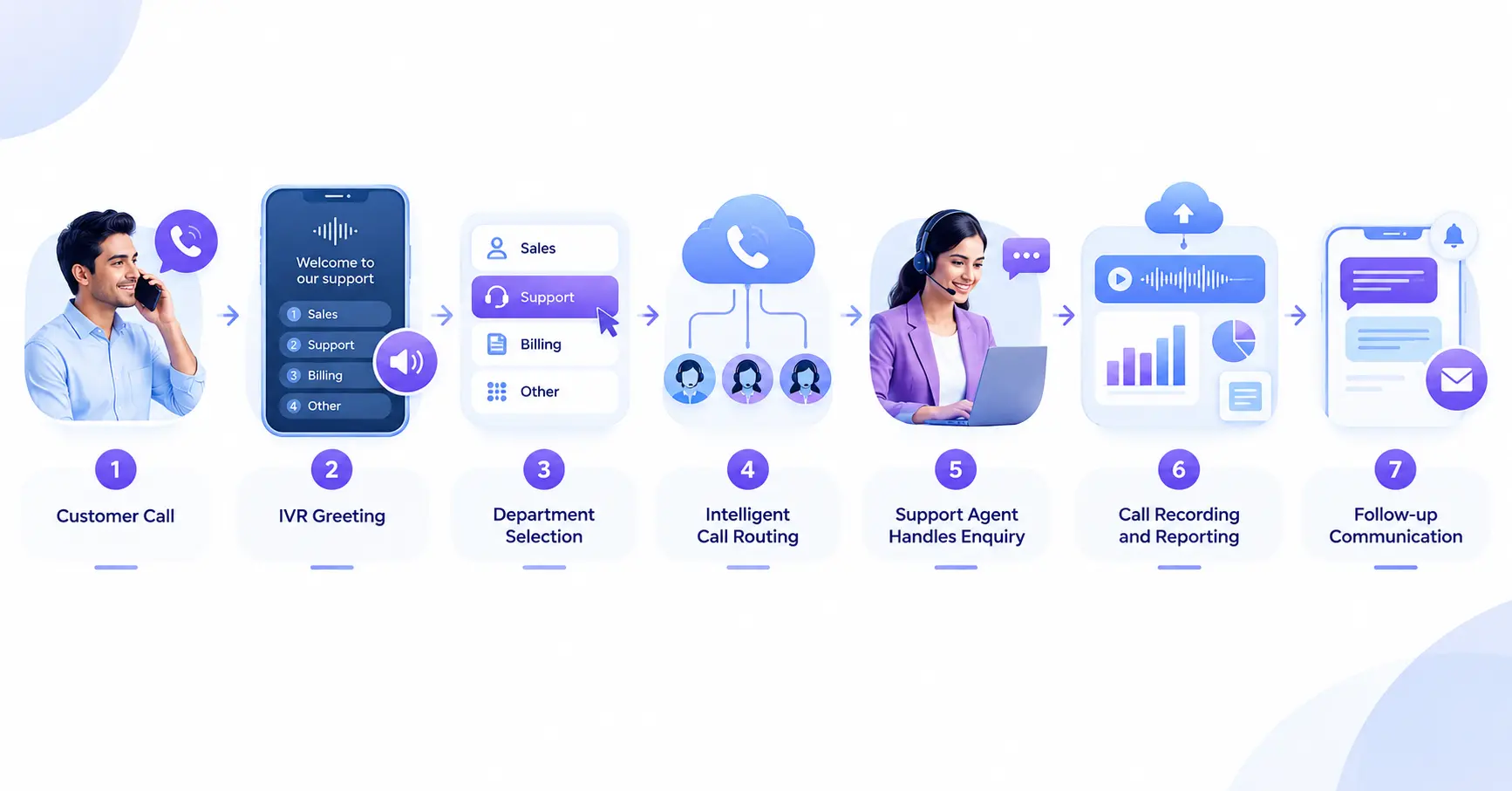
This creates a structured customer journey from the initial call to follow-up.
How to Set Up Toll-Free Number Service
Before setting up the service, businesses should understand their customer support requirements.
Step 1: Estimate Call Volume
Understand the expected number of incoming calls.
Step 2: Identify Departments
Decide whether customers need separate options for sales, support, billing, or technical assistance.
Step 3: Create the IVR Flow
Prepare simple and clear menu options.
Step 4: Configure Call Routing
Connect departments, agents, queues, and backup destinations.
Step 5: Set Business Hours
Configure working-hour and after-hours call handling.
Step 6: Test the System
Test the complete customer journey before publishing the number.
Step 7: Publish the Number
Add the toll-free number to your website, advertisements, invoices, product pages, and other customer-facing channels.
Final Thoughts
A Toll-Free Number Service can provide businesses with a centralized way to manage customer calls. When combined with IVR, call routing, multiple agents, call recording, reporting, and cloud-based call management, it can become an important part of a structured customer support system.
The key is to design the entire calling workflow rather than simply activating a number. Businesses should consider their call volume, departments, agent availability, working hours, and customer requirements before configuring the system.
Yes. A single number can be connected to IVR and routing rules for different departments. Yes. Multiple support agents can be connected to the same calling system depending on the configuration. Call recording may be available depending on the service setup. Businesses should follow applicable privacy and consent requirements. Yes. Businesses can configure automated messages and time-based routing for calls received outside working hours. Yes. A toll-free number can be integrated with a cloud call center for agent management, routing, queues, and reporting.
Can one toll-free number handle multiple departments?
Can multiple agents answer the same toll-free number?
Can toll-free calls be recorded?
Can a toll-free number work after business hours?
Can a toll-free number be connected to a Cloud Call Center?