


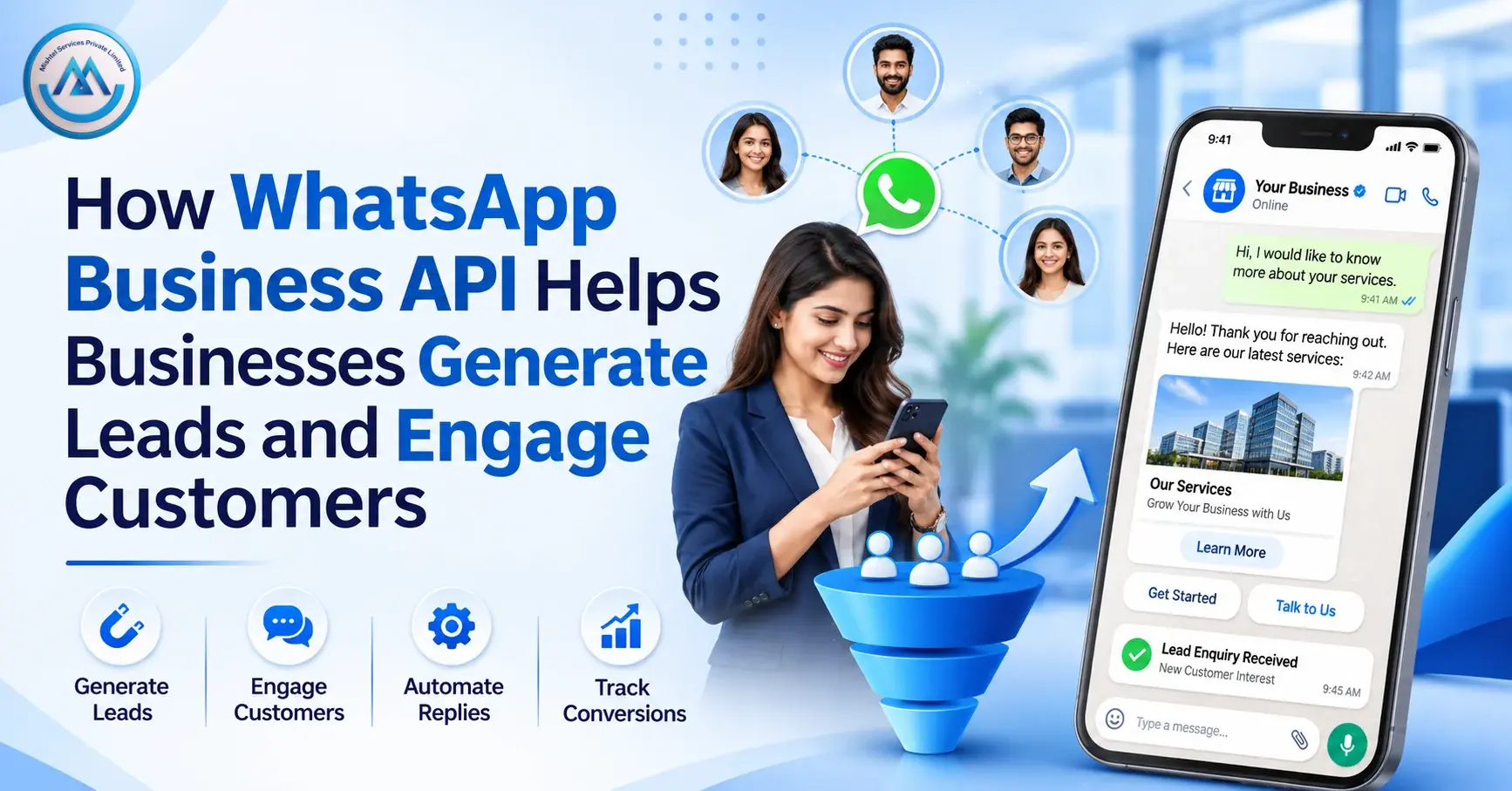
A customer sends an enquiry at 9 pm. By the time your team replies the next morning, they have already messaged two competitors. Sales teams know this problem well. Enquiries arrive from ads, websites, and calls, and follow-ups get lost.
WhatsApp Business API is one way to handle this. It lets a business manage customer conversations on WhatsApp at scale, with approved templates, automation, and team access. This guide explains how it works, how it can support lead generation and customer engagement, what it costs, and which rules to follow.
What Is WhatsApp Business API?
WhatsApp Business API is the way larger businesses connect to WhatsApp through software, instead of using the phone app alone. It is part of the WhatsApp Business Platform, which Meta describes as the offering for businesses that want to build conversational experiences at scale. Businesses usually reach it through a solution provider, which sets up the account and tools.
It differs from the regular WhatsApp Business app. The app is built for a business owner to chat directly from a phone. The Platform connects to software, so teams can use multiple agents, automation, and integrations. It tends to suit growing businesses, agencies, and enterprises with higher message volumes. The features you get depend on the provider you choose.
How WhatsApp Business API Works
The basic process looks like this:
- Onboarding and account setup. The business is set up on the platform, usually through a provider, with a business profile and verification steps.
- Connecting a business number. A phone number is linked to the account.
- Message templates. To start a conversation, a business uses a message template that WhatsApp has approved.
- Customer messaging. Customers receive messages and can reply.
- Incoming conversations. When a customer writes to you, a 24-hour customer service window opens. Within it, you can reply without a template.
- Integration. Where supported, conversations connect to your CRM, website, or other systems.
Timelines and requirements vary, so ask your provider what they need from you.
WhatsApp Business App vs WhatsApp Business API
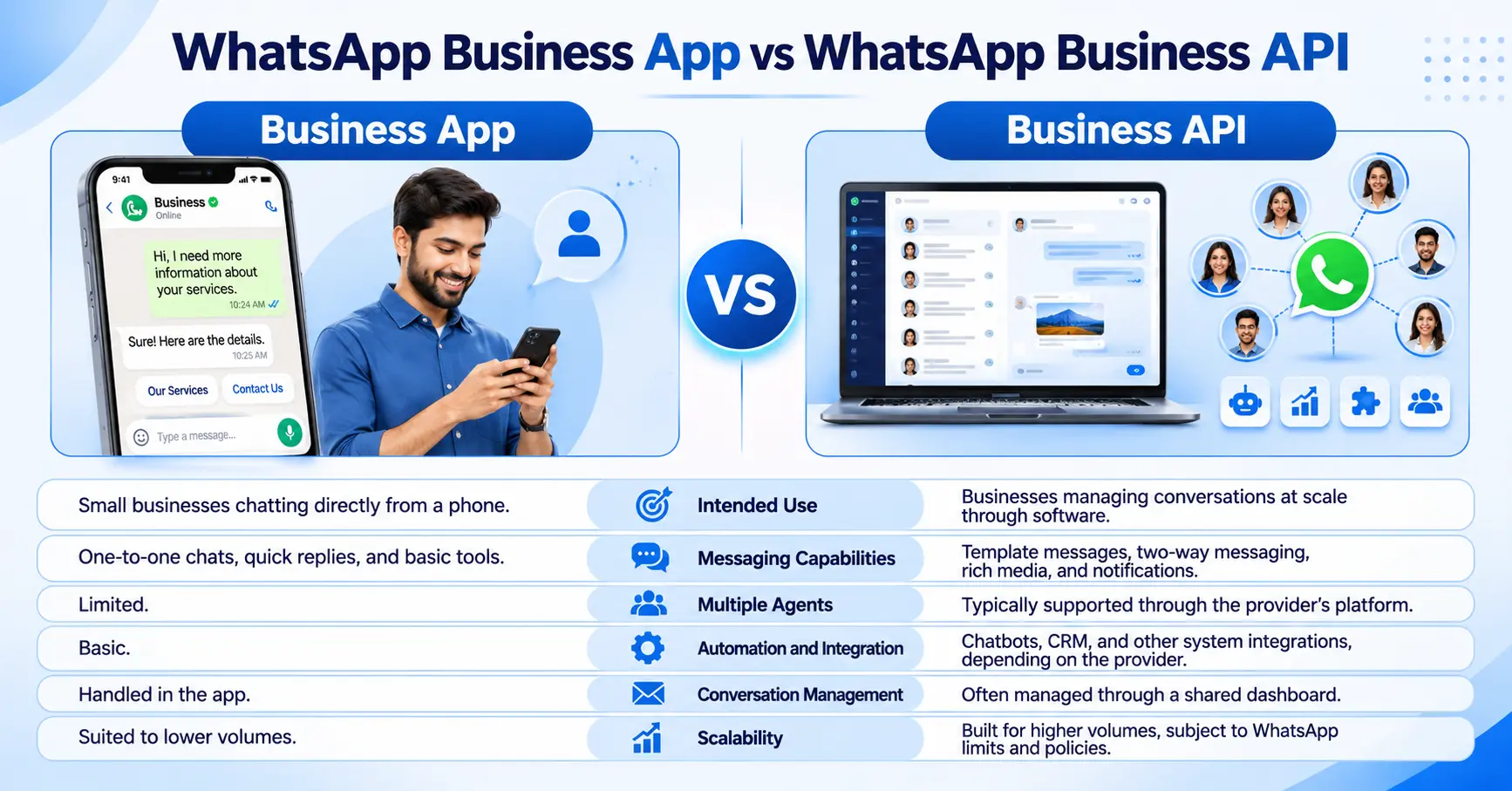
Features differ by provider and plan, so treat this as a general comparison.
How WhatsApp Business API Helps Businesses Generate Leads
WhatsApp does not create demand by itself. It gives interested people an easy way to start a conversation and gives your team a way to follow up. Practical lead generation uses include:
- Website-to-WhatsApp enquiries: A button or QR code on your site opens a chat with your business.
- Click-to-WhatsApp conversations: Ads and Facebook Page buttons can open a WhatsApp chat. Meta says messages sent in the 72 hours after such a click are not charged.
- Product and service enquiries: Customers ask questions, and a bot or agent answers.
- Lead qualification: A short flow asks a few questions, such as budget, location, or product interest.
- Appointment and consultation requests: Prospects book a slot in the chat.
- Follow-up conversations: Approved templates let you follow up with people who agreed to hear from you.
- Sales team communication: Qualified leads are handed to an agent with the chat history.
Here is an illustrative example. A coaching institute adds a “Chat with us” button to its course page. The chat asks which course the visitor wants and their city, then passes the details to an admissions counsellor. Whether that visitor enrols still depends on the course, the price, and the counsellor, and nobody can guarantee conversions.
Benefits of WhatsApp Business API for Businesses
- Direct communication: Customers talk to you in an app they already use.
- Faster responses: Automation can acknowledge enquiries at any hour.
- Better engagement: Rich media and buttons can clarify messages.
- Business messaging automation: Bots can handle routine questions.
- Personalised communication: Messages can include a customer’s name or order details.
- Order and appointment updates: Useful notices reach customers in one place.
- Centralised conversations: Teams see all chats in one dashboard.
- Integration opportunities: Chats can connect to your existing tools.
These are possible benefits. Results depend on your audience, your message, and your response process.
Key Features of WhatsApp Business API
It helps to separate what WhatsApp provides from what a provider adds.
From the WhatsApp Business Platform itself
- Two-way messaging
- Approved message templates
- Multimedia messages
- Customer notifications
- Message status updates and webhooks (technical notifications sent to your system)
Often supplied by a provider or third-party platform, depending on the plan
- Shared inbox and human-agent handover
- Chatbot builders and automated flows
- Interactive message designers
- CRM and business software integrations
- Reports and dashboards
Check each feature with your provider rather than assuming it is included.
How Different Industries Can Use WhatsApp Business API
- E-commerce: Order confirmations, delivery updates, and return requests.
- Healthcare: Appointment reminders and general updates. WhatsApp’s policy restricts some health-related messaging, so avoid sending sensitive health information.
- Education: Admission enquiries, fee reminders, and class updates.
- Banking and financial services: Alerts and service notices. Never ask customers to share full card or account numbers in chat, and check the policy’s restrictions on certain lending and collection activities.
- Real estate: Property enquiries, site visit bookings, and brochure sharing.
- Travel and hospitality: Booking confirmations and itinerary updates.
- Retail: Order updates, store offers for opted-in customers, and feedback requests.
- Service businesses: Appointment confirmations and service visit updates.
WhatsApp Business API for Marketing and Customer Support
The same platform serves two jobs:
- Marketing: Product announcements and promotional messages sent to customers who agreed to receive them.
- Utility messages: Order updates and appointment reminders tied to something the customer did.
- Customer support: Answering questions and guiding customers to the right team.
- Feedback and post-purchase communication: Asking how a delivery or service went.
Relevance and permission matter more than volume. Customers can block or report a business, and Meta may limit how many messages a business can send if it receives significant negative feedback.
WhatsApp Business API Automation and Integration
Automation can handle routine steps:
- Automated responses: Acknowledge enquiries and share basic information.
- Chatbot workflows: Guide a customer through options.
- Lead qualification: Ask a few questions and record the answers.
- CRM integration: Pass lead details to your sales system.
- Sales team handover: Pass the chat to an agent when a person is needed.
- Support workflows: Route queries to the right team.
Not every automation or integration is included by default. WhatsApp’s policy lets you use automation in the 24-hour window, but you must offer a clear route to a human or another support channel, such as an agent transfer, phone number, email, or web support.
Understanding WhatsApp Business API Pricing
Pricing is a common worry, so here is how Meta describes it. Businesses are charged per message, and only when a message is delivered. The rate depends on the market and on one of four categories: marketing, utility, authentication, and service. Meta does not charge for service messages, which are replies within the 24-hour window, or for utility messages sent in response to a user. Messages in the 72 hours after a click from a Click-to-WhatsApp ad or Facebook Page button are also free.
Rates change, so check Meta’s pricing page for India. Providers may add their own platform or service fees, so ask for a written quotation that shows both.
WhatsApp Business Messaging Rules and Best Practices
Follow WhatsApp’s Business Messaging Policy. Key points:
- Opt-in: You may contact people only if they gave you their number and opted in to receive messages from you. The business is responsible for how it collects opt-ins.
- Separate opt-in by category: Meta suggests asking separately for each message type, such as order updates or offers.
- Approved templates: You can start a conversation only with an approved template, and Meta can review, pause, or reject templates.
- 24-hour customer service window: It opens and resets with each customer message. Outside it, you can send only approved templates.
- Opt-outs: Honour requests to stop, on or off WhatsApp.
- Relevant, expected messages: Do not spam, mislead, or surprise people.
- Data and sensitive information: Do not ask for full card numbers, account numbers, or ID numbers, and follow privacy law.
- Quality: Negative feedback can lead to limits on your account.
These rules can change, so read the current policy before every campaign. Also check Indian laws that apply to your messages.
How to Choose the Right WhatsApp Business API Provider in India
Compare providers on these points:
- Credibility and onboarding support: Ask how onboarding works and what they need from you. You can check Meta’s partner showcase for providers.
- Pricing transparency: Understand Meta’s message charges and the provider’s own fees.
- Messaging tools: Check the inbox, templates, broadcasts, and rich media.
- Automation options: Ask about chatbots, flows, and human handover.
- Integration support: Ask whether it connects to your CRM, website, or app.
- Customer support: Check when and how you can reach help.
- Reporting and analytics: Look for message status and campaign reports.
- Scalability: Make sure it can handle your growth.
- Policy and compliance guidance: Ask how the provider helps you follow WhatsApp’s rules.
Ask for a demo with your own use case before deciding.
Why Businesses Can Explore Mishtel Services for WhatsApp Business Communication
Mishtel Services is an Indian business communication and cloud telephony provider. According to its WhatsApp Business page, the service covers bulk WhatsApp messaging, rich media such as images, videos, PDFs, links, and call-to-action buttons, automation with chatbots and predefined flows, and API integration with CRM, ERP, websites, and apps. It also mentions support for regional languages. [VERIFY BEFORE PUBLISHING: Mishtel’s current status as a Meta Solution Provider and whether all listed features apply to every plan.]
WhatsApp often works best next to other channels. Many businesses use bulk SMS for alerts, bulk voice calls for urgent notices, an IVR Service to route calls, a cloud call centre to manage agents, and an AI voice agent for routine call queries. Which mix suits you depends on your audience and workflow.
Share your use case, expected message volume, and integration needs with the Mishtel team to explore what fits.
Conclusion
WhatsApp Business API can help businesses manage enquiries, follow up with prospects, and keep customers informed, all in one familiar app. It works best with clear opt-in, approved templates, useful messages, and a team ready to reply.
Before you choose a provider, compare features, pricing, integrations, support, and policy guidance. Looking to improve your business communication through WhatsApp? Connect with Mishtel Services to discuss your requirements and explore suitable communication solutions.
A business is set up on the platform, usually through a provider, and links a phone number. It starts conversations with approved templates and replies freely within the 24-hour window. The app is for chatting directly from a phone. The API connects to software for multiple agents, automation, and integrations. Features depend on your provider. It gives prospects an easy way to start a chat from a website, ad, or QR code. Bots and agents can then qualify and follow up. It does not guarantee conversions. Yes, in many setups. Bots can answer routine questions and collect details. WhatsApp’s policy requires a clear route to a human or another support channel. Usually yes, through a shared inbox or agent dashboard from your provider. Confirm how many agents and what handover options your plan supports. Often yes, depending on the provider. Ask which CRMs are supported, and how data moves between systems. Yes, to start a conversation or message outside the 24-hour window. Templates must be approved, and Meta can pause or reject them. Choose a provider, share your business details, set up a business profile and number, and create templates for approval. Requirements and timelines vary, so ask for specifics. Compare onboarding support, pricing, tools, integrations, support, reporting, and compliance guidance. Request a demo with your own use case.
How does WhatsApp Business API work?
What is the difference between WhatsApp Business App and API?
How can WhatsApp Business API help generate leads?
Can WhatsApp Business API automate customer communication?
Can multiple employees manage WhatsApp Business conversations?
Can WhatsApp Business API be integrated with CRM?
Are message templates required on WhatsApp Business API?
How can a business get WhatsApp Business API in India?
How can businesses choose a WhatsApp Business API provider?